Direct AI connections
Import cost and usage from your AI provider accounts—not just the infrastructure that runs AI.
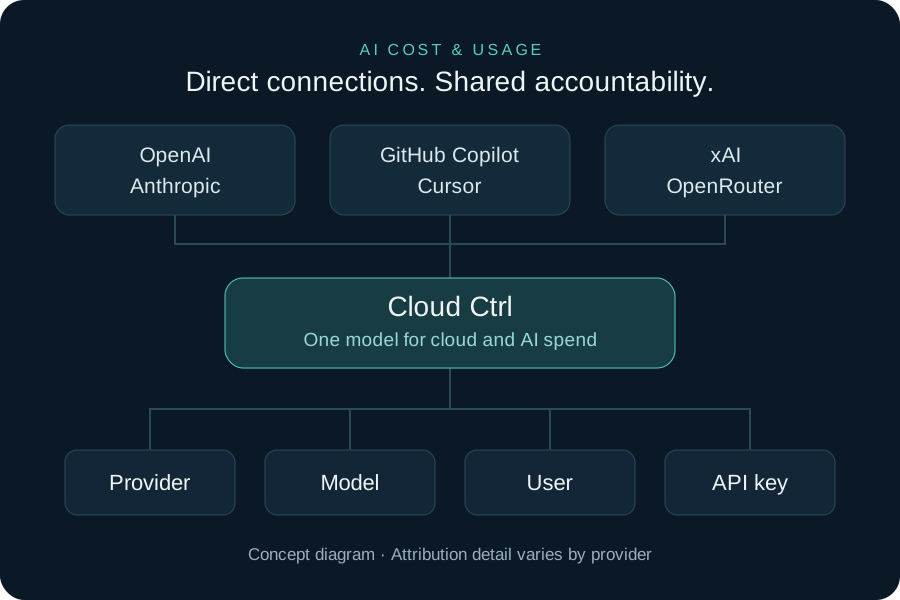
Connect OpenAI, Anthropic, GitHub Copilot, Cursor, xAI and OpenRouter. Bring AI usage and costs alongside cloud spend to see what is being used, explore ownership and plan with a clearer picture.

Import cost and usage from your AI provider accounts—not just the infrastructure that runs AI.
Explore spend by provider, model, user and API key where the provider supplies that detail. Unattributed usage stays visible.
AI usage feeds the same cost reporting and allocation model as cloud billing, rather than another disconnected spreadsheet.
Cloud Ctrl is built and hosted in Australia. Usage and billing data stays in Australian-hosted infrastructure, and a customer-controlled Azure deployment remains available for stricter requirements.
The AI Usage dashboard brings together spend trends and available breakdowns by provider, model, user and API key. Explore token usage alongside costs without confusing tokens, requests and seats.
Where provider data supports it, distinguish input, cached-input and output tokens, and allowance-covered versus on-demand usage. Available detail and history depend on the provider, account permissions and reporting API.
Use existing allocation and reporting tools to put AI spend in business context. Finance and technology teams gain a shared view of usage, ownership and spend; service providers can bring AI cost visibility into their customer conversations.
AI Cost Management reports on your use of AI services. It is separate from Cloud Intelligence, which uses AI to help explain cloud resources.
Connect a supported AI account with the required cost and usage permissions.
Bring AI usage into the same reporting model as cloud costs.
Explore available model, user and API-key detail, including unattributed spend.
Use the available usage and cost detail to inform team plans or customer reviews.