Slice it your way
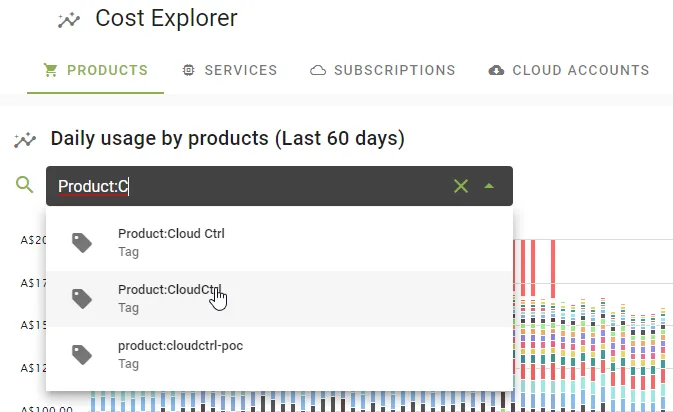
Group daily usage by product, service, subscription or cloud account, then refine with tag, account and product filters.
Explore multi-cloud spend by product, service, subscription or account, then investigate resource detail. Give finance, engineering and customer teams a shared starting point for decisions.

Group daily usage by product, service, subscription or cloud account, then refine with tag, account and product filters.
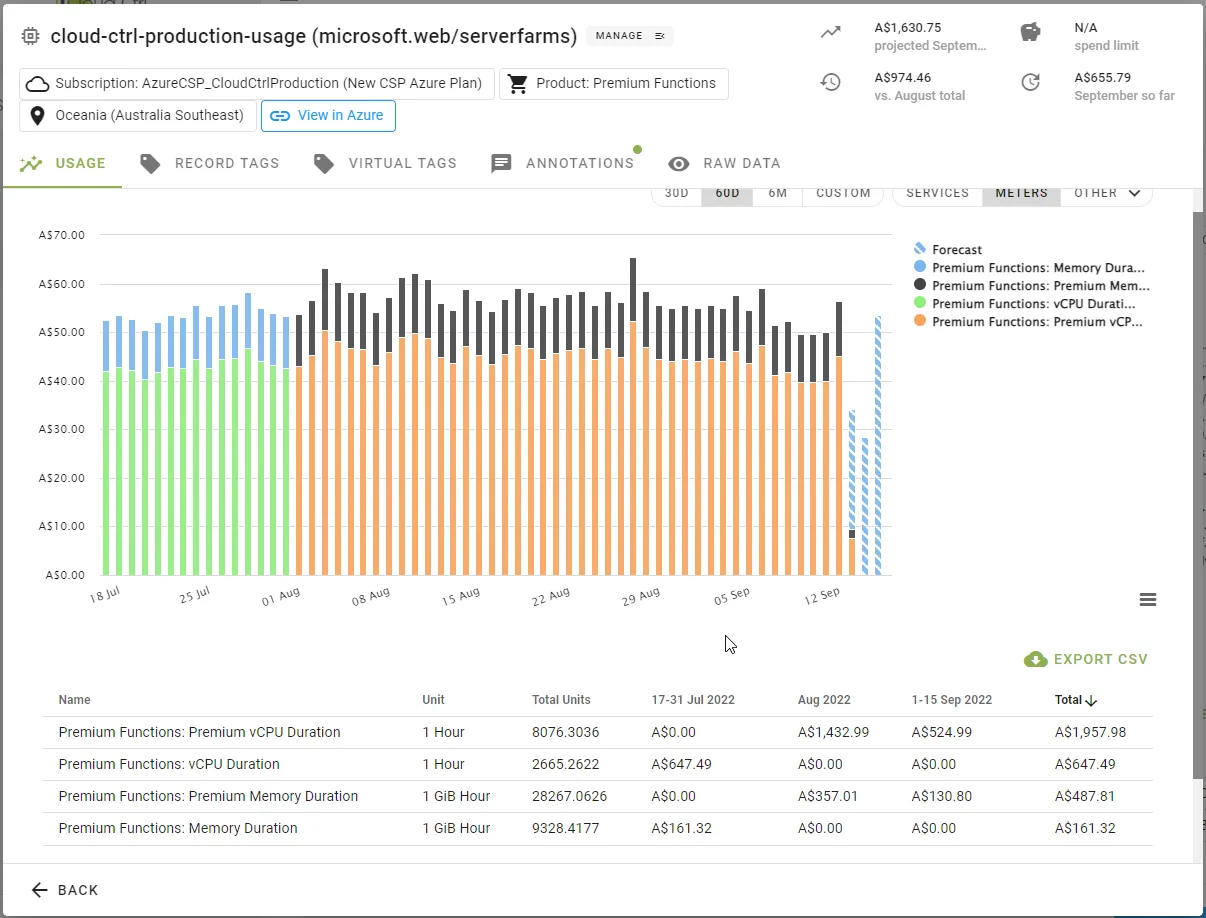
Follow a change from the monthly trend into the underlying resource usage.
Use account and tag filters to explore the costs associated with a team, project or customer.
Cloud Ctrl is built and hosted in Australia. Usage and billing data stays in Australian-hosted infrastructure, and a customer-controlled Azure deployment remains available for stricter requirements.
Start with a business question: what is this service costing, or which account is driving the increase? Select a breakdown, add filters and explore the usage behind the number.
A consistent view across Azure, AWS and Google Cloud helps teams compare spend without reconciling separate vendor reports.
A higher bill can reflect growth, a new service or an unexpected change. Follow the total down to resource usage, then discuss the cause with the team responsible before deciding what to do.
Start from daily usage by product, service, subscription or cloud account.
Layer tag, account and product filters until the view matches the question.
Step from summary to subscription to resource without changing tools.
Export the view or schedule it as a report for stakeholders.