Customise cost views
Choose the data and breakdowns that help each audience understand their usage and costs.
Build the report once. Cloud Ctrl delivers it by email to whoever needs it—your team or your customers—every day, week or month.

Choose the data and breakdowns that help each audience understand their usage and costs.
Schedule reports by email to yourself, your team or your customers.
Reports regenerate and resend on schedule, reducing the manual work of recurring reporting.
Cloud Ctrl is built and hosted in Australia. Usage and billing data stays in Australian-hosted infrastructure, and a customer-controlled Azure deployment remains available for stricter requirements.
Leadership may need the total and the trend; engineers, the services and drivers; customers, their own usage and charges. Choose the view that supports the conversation.
Report on connected cloud, AI and custom service data through the same model. Available detail depends on each source, and scheduled delivery keeps the relevant view in reach.
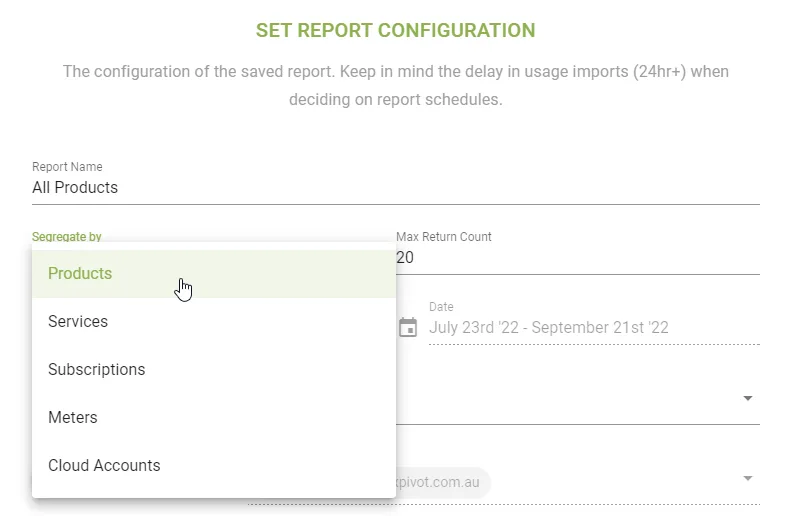
Scheduled delivery reduces time spent assembling recurring reports. Use that time to explain changes, review ownership and discuss the decisions the numbers raise.
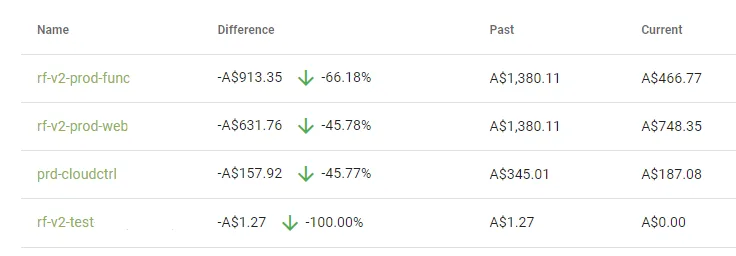
Choose the data, breakdown and period for each audience.
Set the cadence—daily, weekly, monthly—and the recipients.
Cloud Ctrl generates and emails the report automatically.
Use the shared view to review changes, budgets and next steps.