Help customers understand
Invite customers to explore their usage and costs between invoices.
Share the usage and cost data each customer needs, with your pricing and branding. Build a shared basis for explaining charges, reviewing changes and planning what comes next.

Invite customers to explore their usage and costs between invoices.
Filter data for each customer, then apply pricing, markup, currency and billing adjustments.
Use a multi-tenant view to review customer spend and identify where a conversation is needed.
Cloud Ctrl is built and hosted in Australia. Usage and billing data stays in Australian-hosted infrastructure, and a customer-controlled Azure deployment remains available for stricter requirements.
Choose the customer’s data slice and apply the agreed pricing. Review the shared view so it presents the usage and charges relevant to that customer.
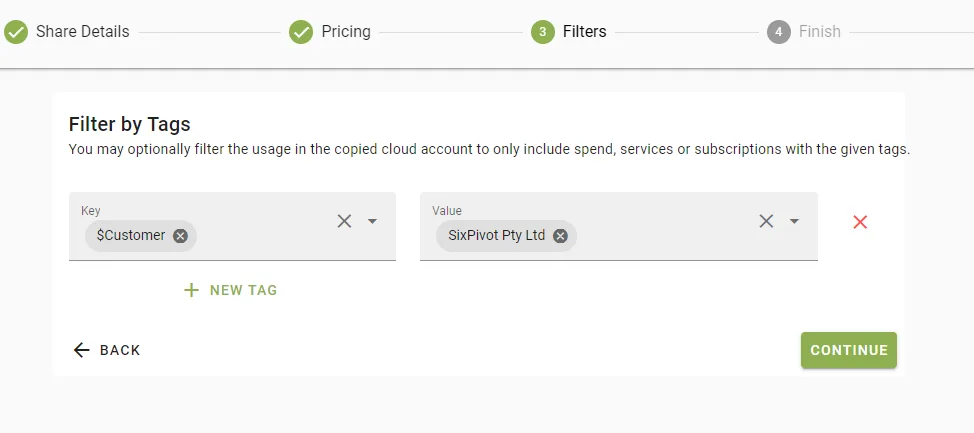
White-labelled views bring your brand and pricing into the customer experience. Use that shared view to explain changes and make practical recommendations as part of your service.
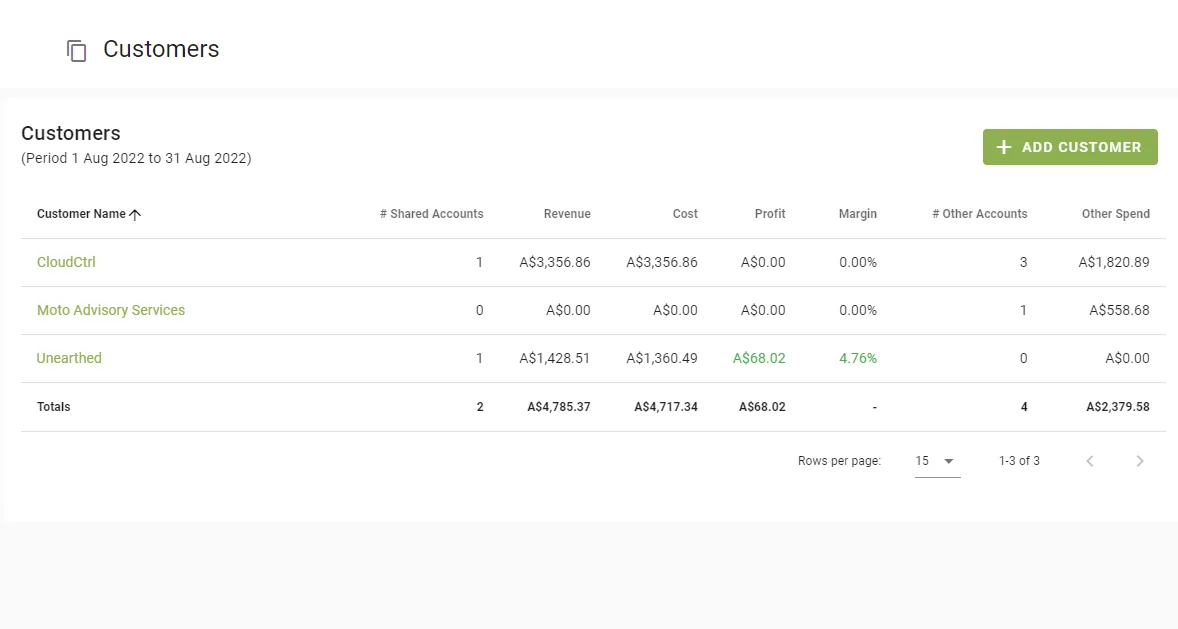
Add the customer and pick the data they should see.
Adjust price, currency and billing items per customer.
Customers sign in to their own branded view.
Review changes together and use the shared numbers to inform the customer’s next decision.